Factors Affecting Organic Click-Through Rate (CTR) — Based on 5 Million Google Searches
What you're reading is a Persian translation of this article: WE ANALYZED 5 MILLION GOOGLE SEARCH RESULTS (Here's What We Learned About Organic Click Through Rate)
The author used data received from ClickFlow (5 million searches from different Google Search Console accounts) to conduct a comprehensive study to identify the factors affecting Organic CTR.
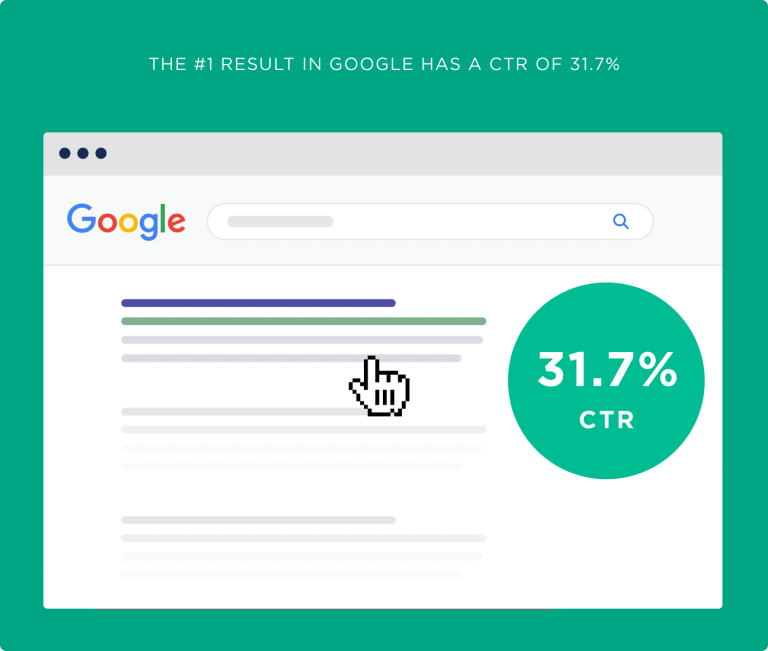
31.7% of Google Clicks Belong to Position #1
The primary goal of this study was to determine the metrics affecting CTR. Our review of approximately 5 million Google results showed that the #1 Google result has by far the highest click-through rate.
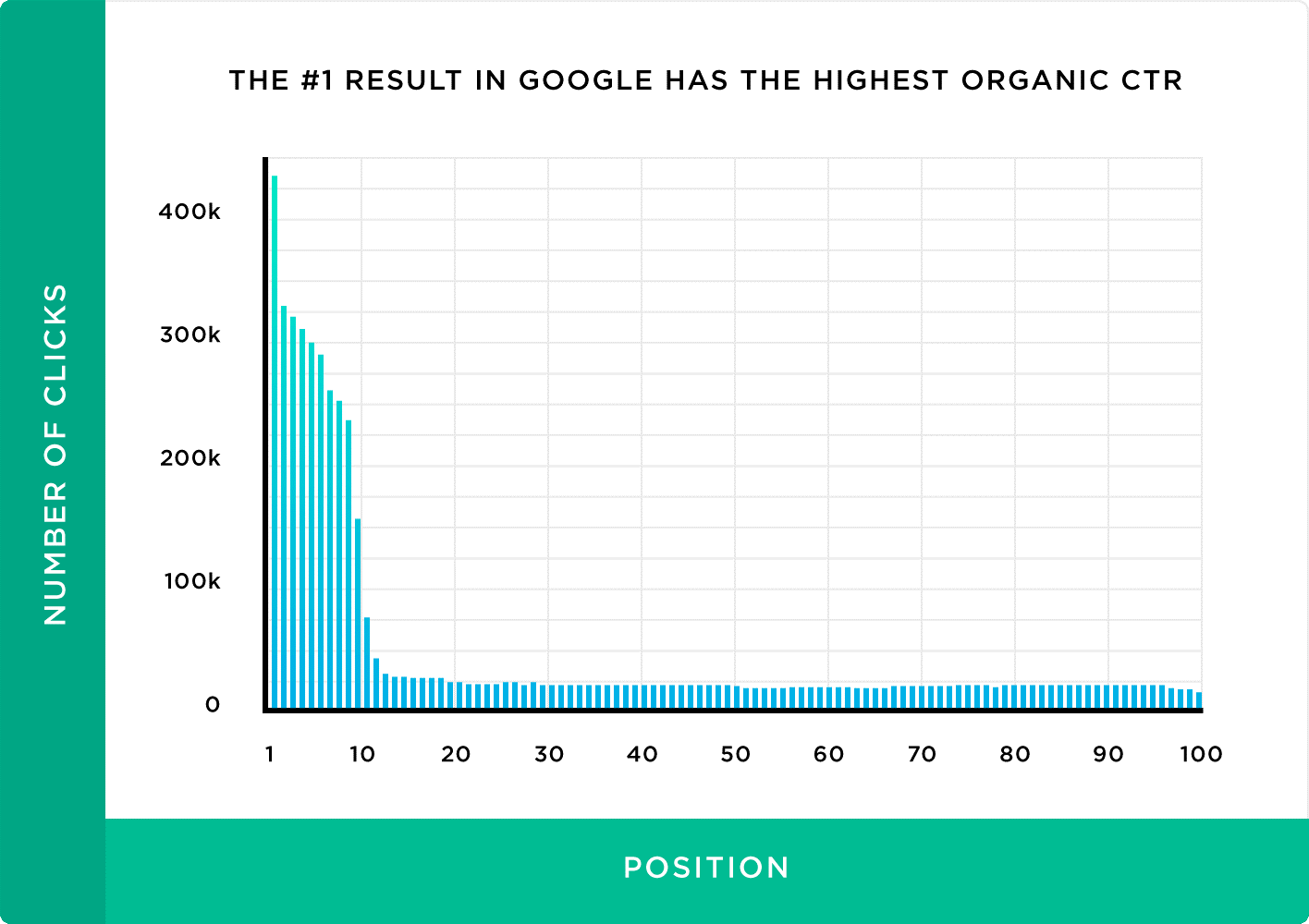
We also found that from page 2 of results onward, CTR drops dramatically — only 0.78% of click-through rates belong to pages 2 and beyond. This means many users don't even open Google's second page of results.
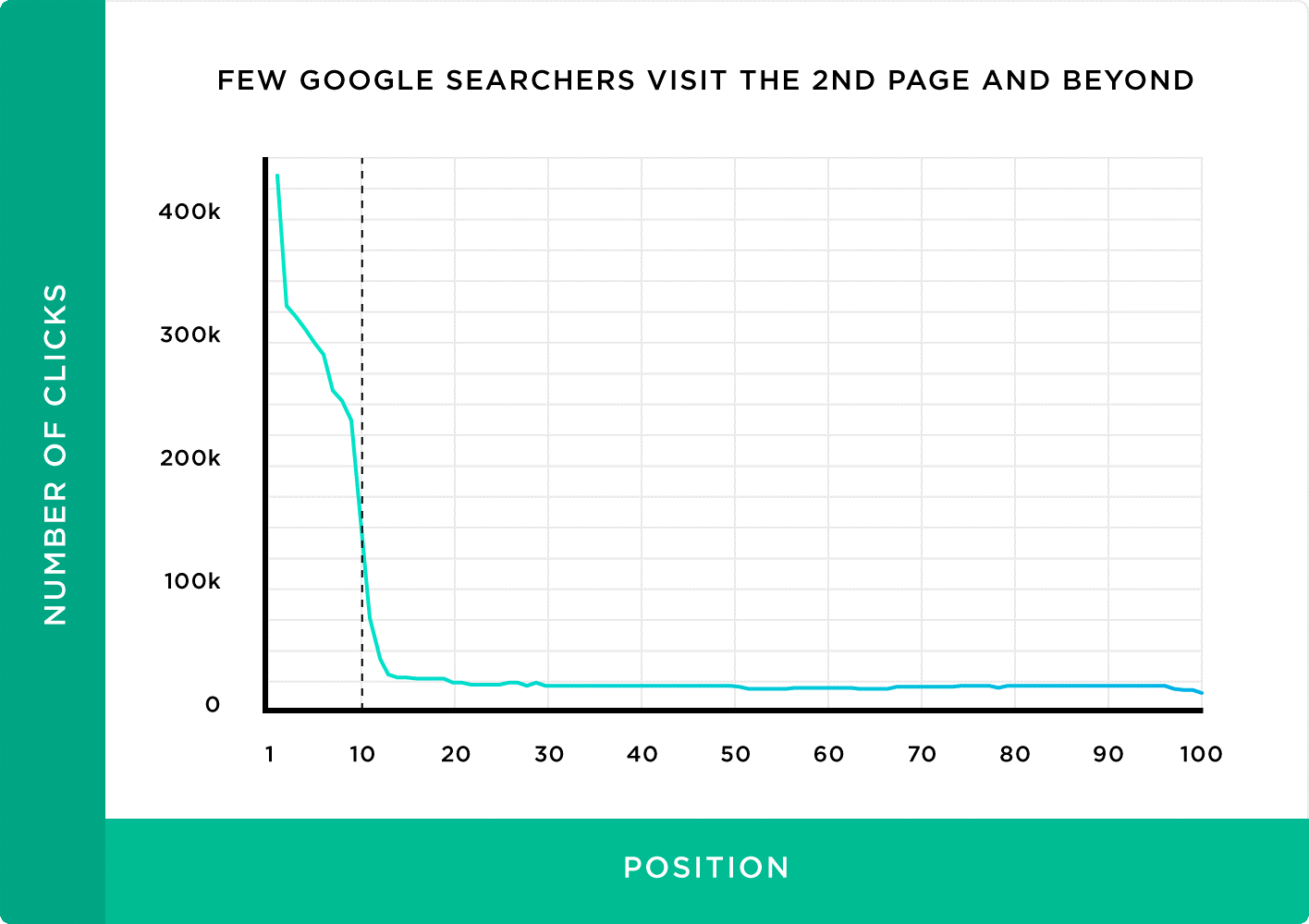
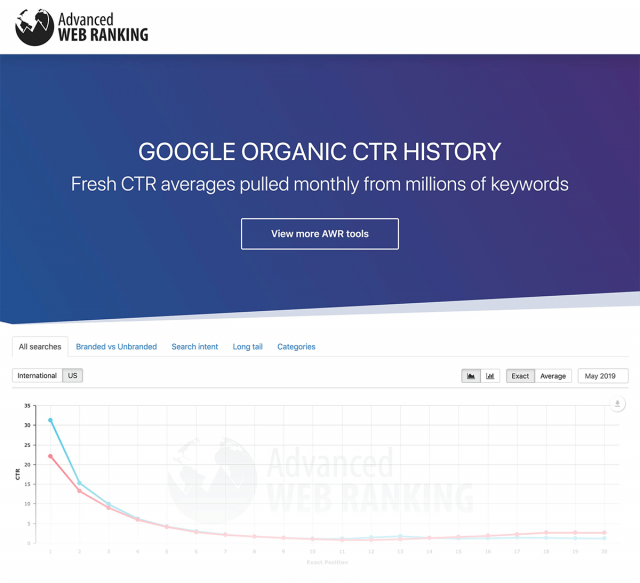
Our finding has been confirmed in other studies as well.
Given the sharp drop in CTR from page 2 onward, we decided to re-run our analysis exclusively on page 1 to reduce the effects of outlier data. We also removed searches that skewed results (such as branded searches like "Kavimo, video hosting service").
Considering these adjustments, we found that 31.7% of all clicks belong to Google's #1 position.
The chart below shows CTR by position for the top 10 results on Google's first page.
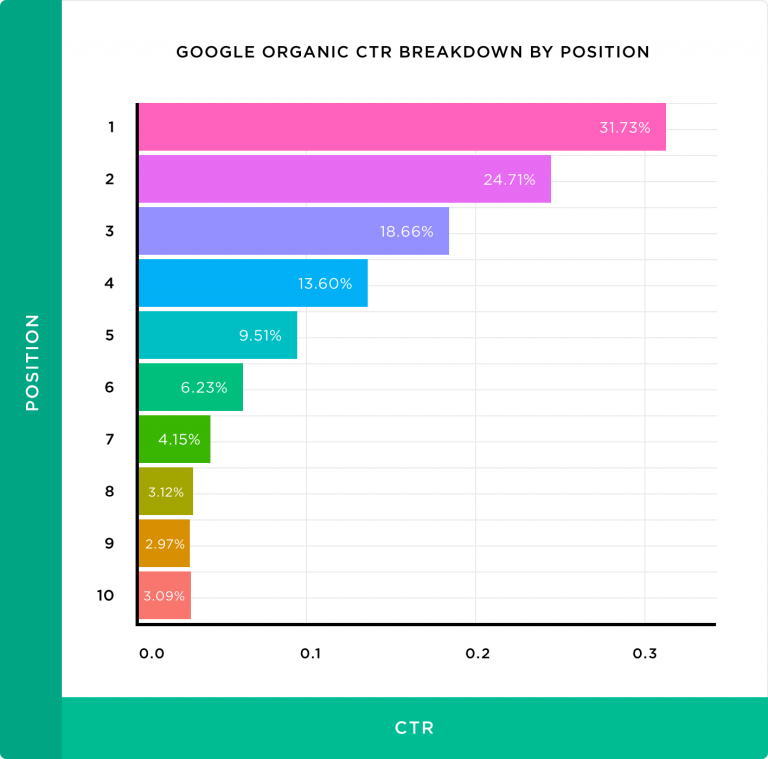
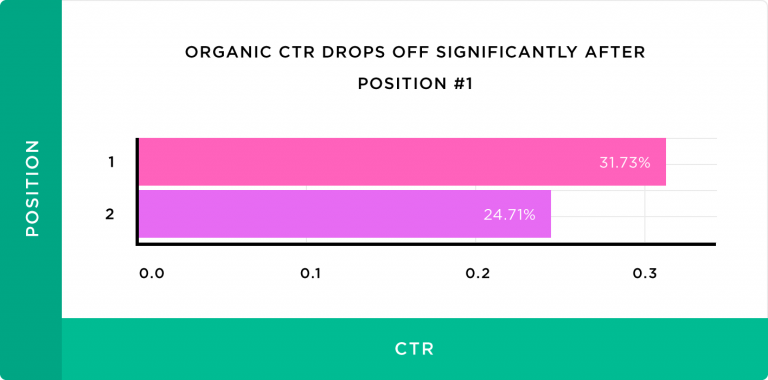
As you can see, position #1 gets 10x more clicks than position #10. This is because, according to a new Moz survey, many users instinctively click on the first result after a Google search. This probably explains the strange drop in CTR for position #2, which is only a few pixels below position #1!
CTR Spikes at Positions 3 and 5
Position #1 has by far the most clicks. However, some results at lower positions still receive clicks. Notice the chart below — from positions 6 to 10, the graph is nearly flat; but at position 5, CTR suddenly spikes. The same happens at position #3.
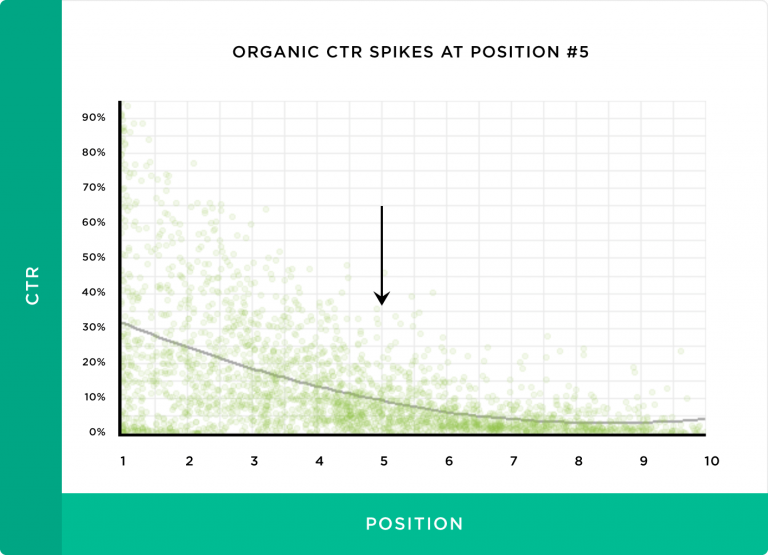
This means:
- Most users don't scroll past position #5.
- Moving from position 6 to 5 can make a fundamental change in CTR.
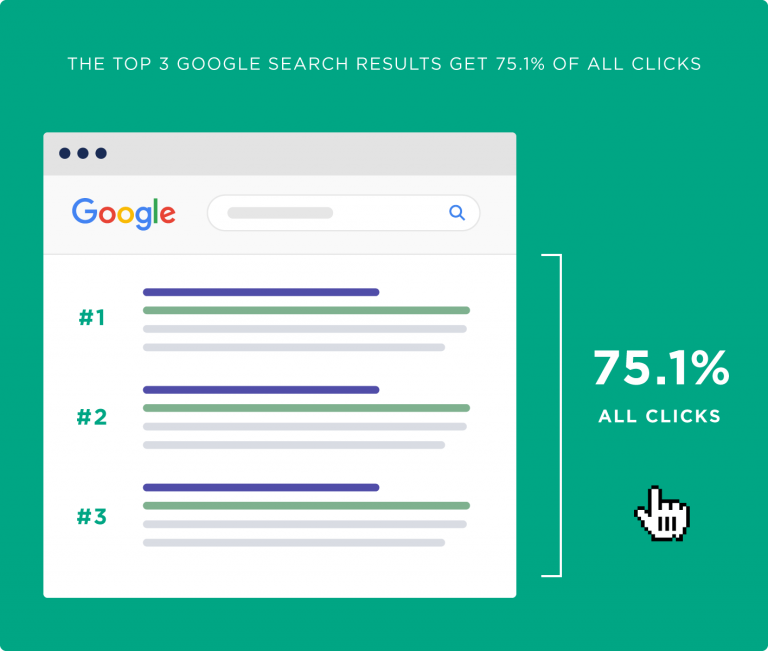
The top 3 Google results capture approximately 75% of all clicks. This data shows that getting on Google's first page alone isn't enough — securing a top position (at least one of the top 3) is the more important factor.
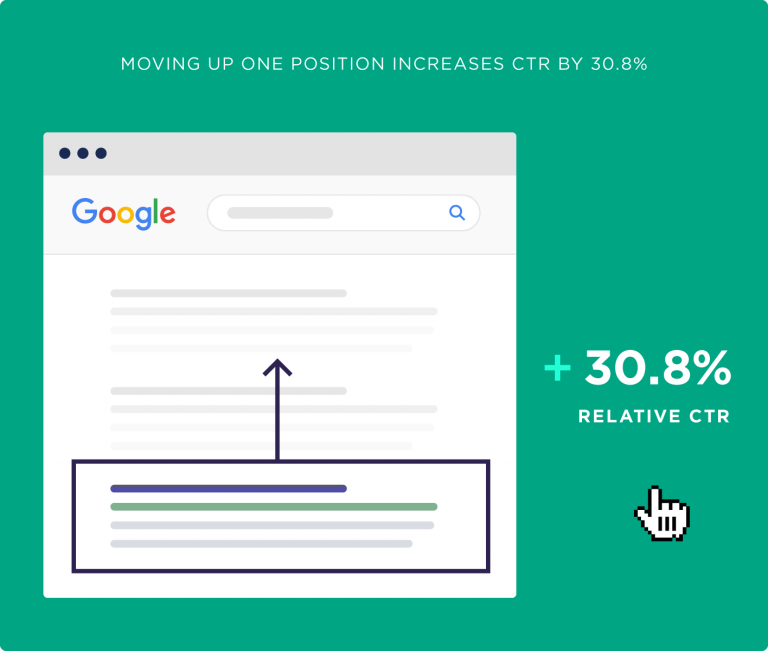
Moving Up One Position in Google Increases CTR by 30.8% on Average
All else being equal, moving up one position in Google results increases CTR by 30.8%.
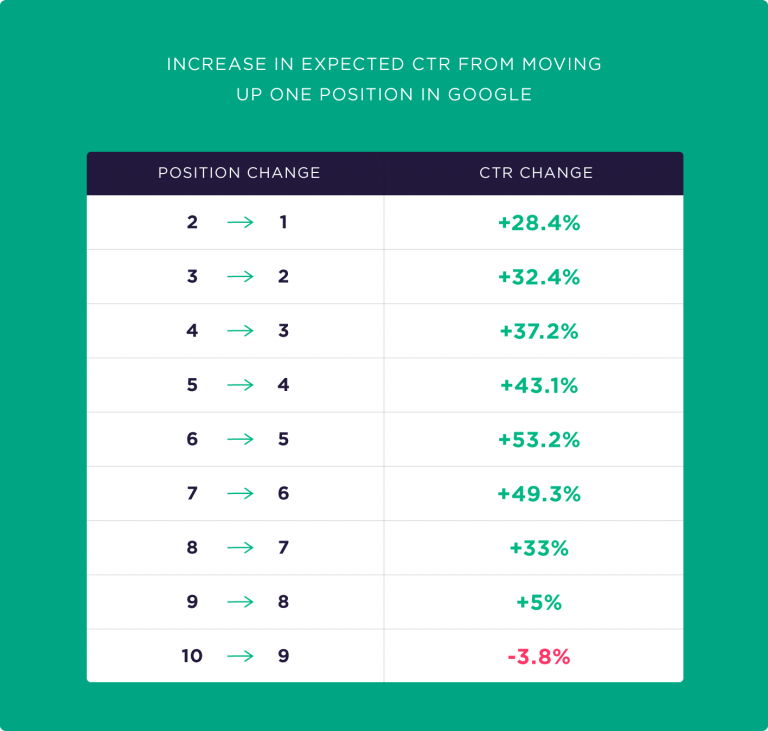
Of course, this is an average and varies depending on which position you moved from. For example, moving from position 9 to 8 only increases CTR by 5%; but moving from position 6 to 5 takes CTR to 53.2%!
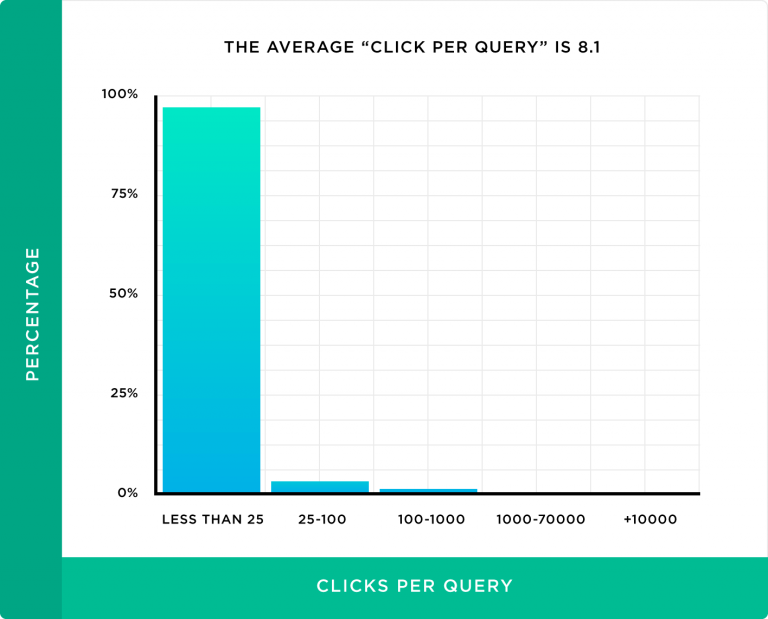
Most Sites Receive an Average of 8.1 Clicks Per Query
We examined all search queries reported by Google Search Console to find the number of clicks, and found that most queries a site ranks for have received very few impressions.
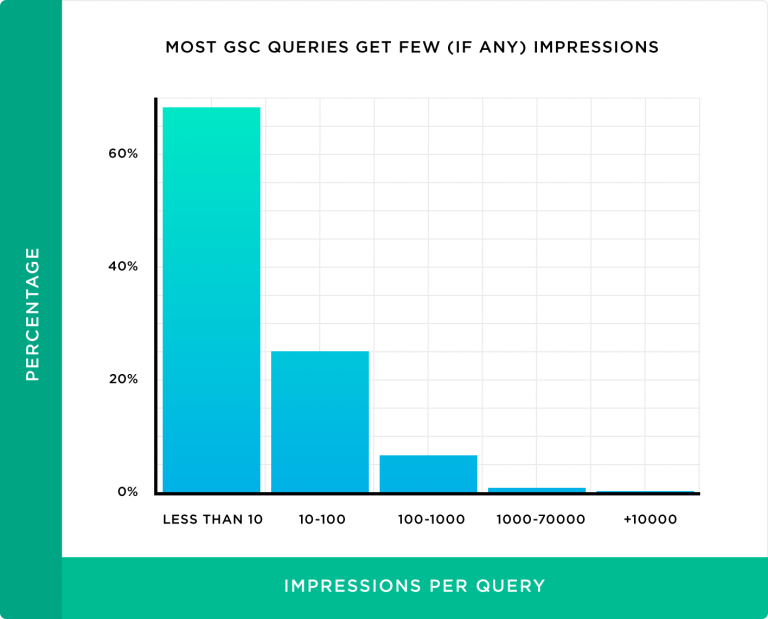
This has two meanings: either most keywords a site ranks for are long-tail phrases with low search volume, or the site doesn't rank highly for these keywords.
Probably due to low impression volume, the number of clicks for most queries will be low (8.1 clicks per query).
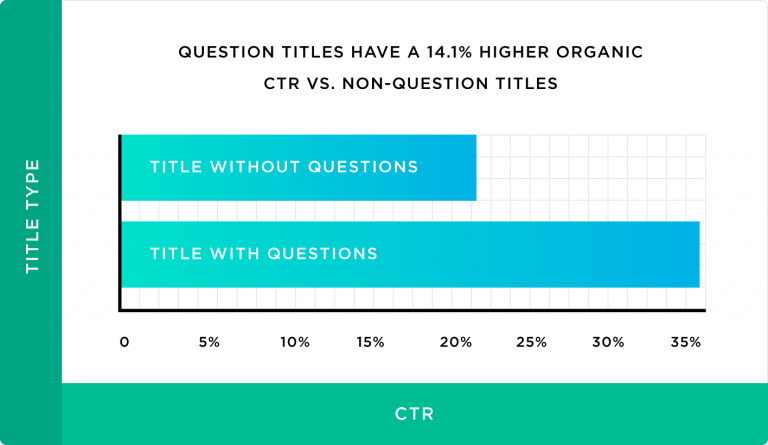
Question-Style Titles Get Higher CTR
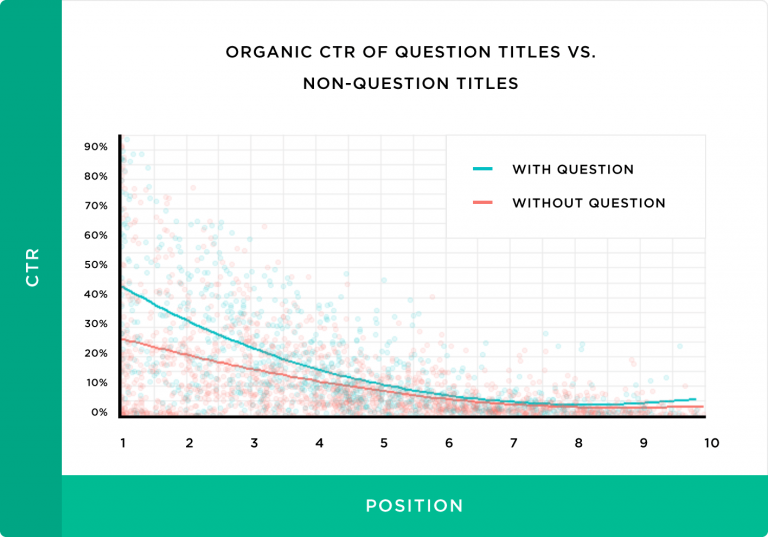
Comparing CTR of question-style titles (beginning with words like "how," "is," "why") against non-question titles, we found that question-style titles receive 14.1% higher CTR than non-question titles.
The chart below shows the results across the top 10 Google positions.
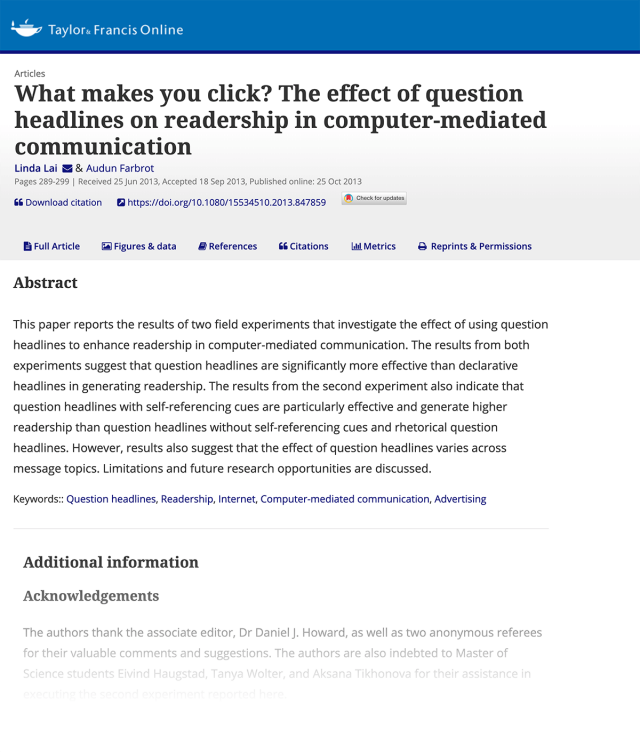
This finding aligns with a study published in the journal Social Influence.
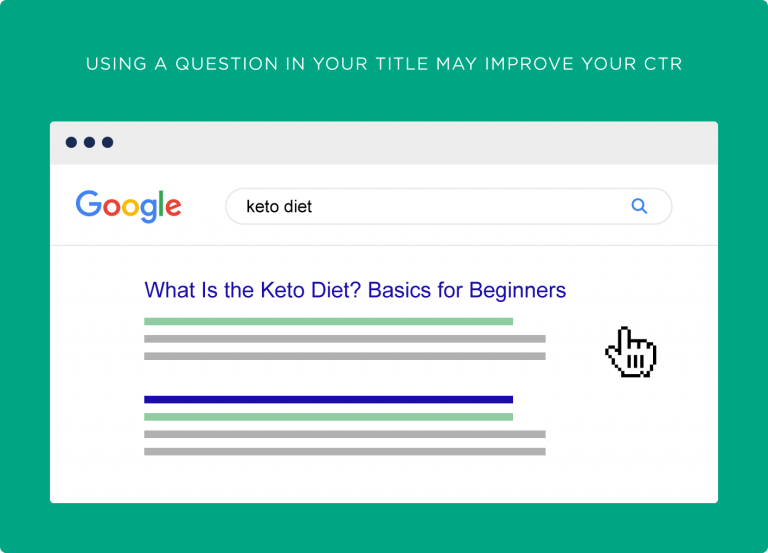
Questions can improve organic CTR because when users search on Google, they're naturally looking for answers to their questions. Using question-style titles can convince users that the answer is on the page.
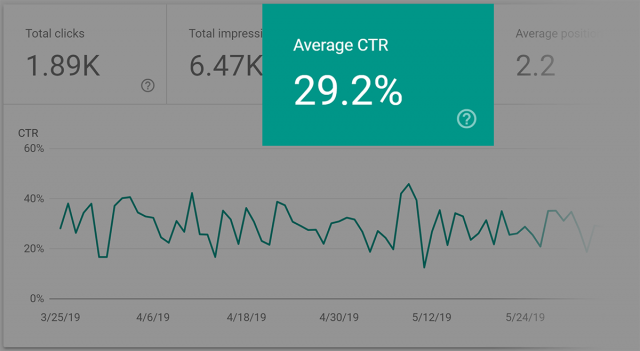
For example, for the page below optimized for the term "nofollow link," the page's CTR is 29.2% thanks to its question-style title.
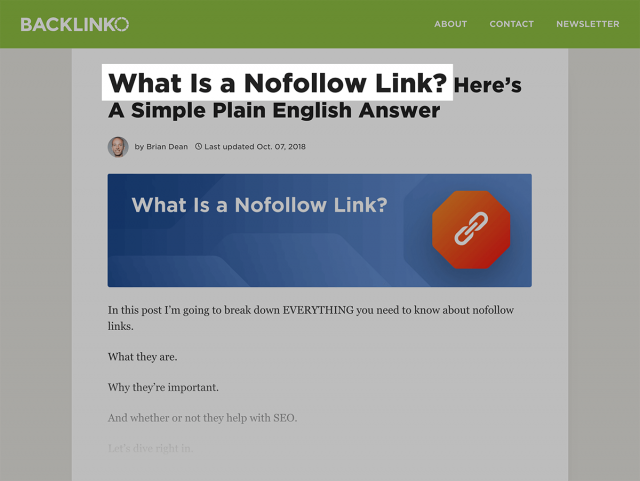
Most people searching for the general term "nofollow link" are usually looking for its definition. So upon seeing a title like "What is nofollow link?" they immediately click on it.
Titles with 15–40 Characters Get the Most Clicks
Title length shouldn't be too short or too long. Titles between 15 and 40 characters have the highest Organic CTR and on average receive 8.6% more clicks than titles outside this range.

URLs Containing Keywords Significantly Improve CTR
Using keywords in the page URL has a significant impact on improving CTR. For example, for the phrase "weekend trips," pages with a URL like travel.com/weekend-trips get higher CTR than travel.com/travel-page. To measure this, we scored similarity between page URLs and queries from 0 to 100%. Zero means no similarity; 100% means exact match. We removed all punctuation, plural forms, etc. to measure similarity (treating "book" and "books" as identical).
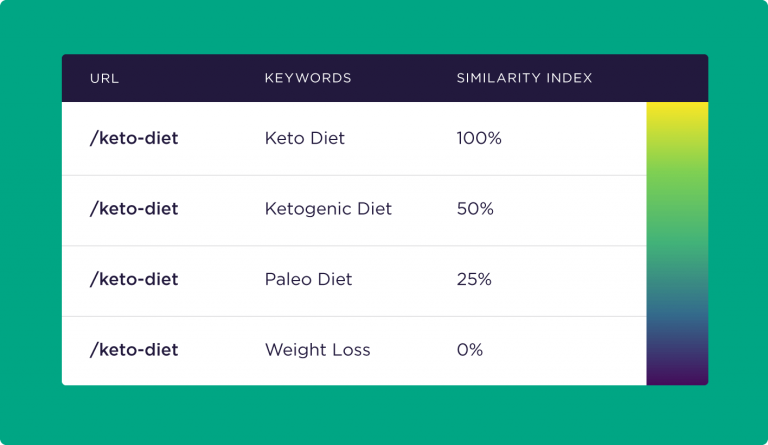
The final result showed a strong correlation between page URL and CTR.
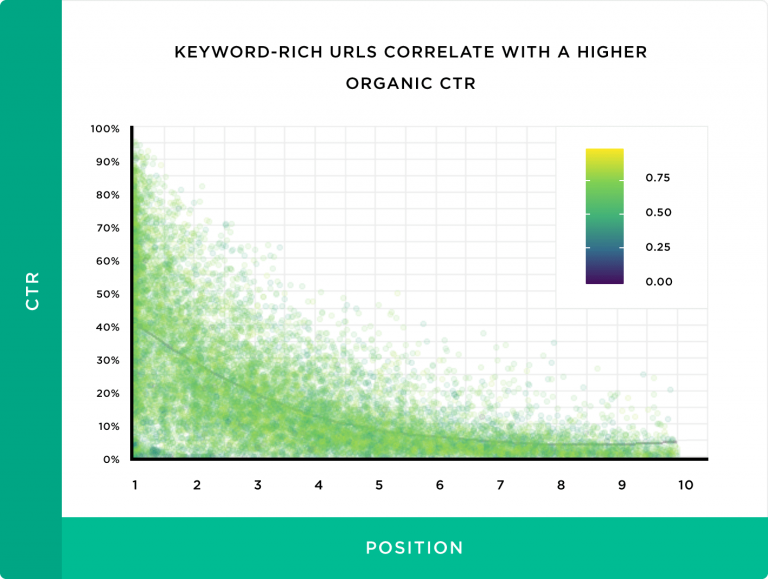
Although an exact match between the search query and page URL can lead to high CTR, our data shows that even partial matches improve CTR. Google's SEO guide recommends using appropriate and content-relevant keywords in page URLs.
Another paper by Microsoft (2012) shows that trusted domains receive higher CTR than unfamiliar domains.
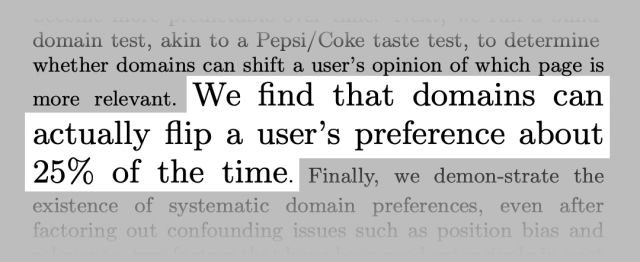
This means search engine users look at the page address when deciding which result to click. Therefore using appropriate keywords in the URL is very important. We found that an exact match between the page URL and the search query results in a 45% increase in CTR for that page.
Power Words Have a Negative Effect on CTR
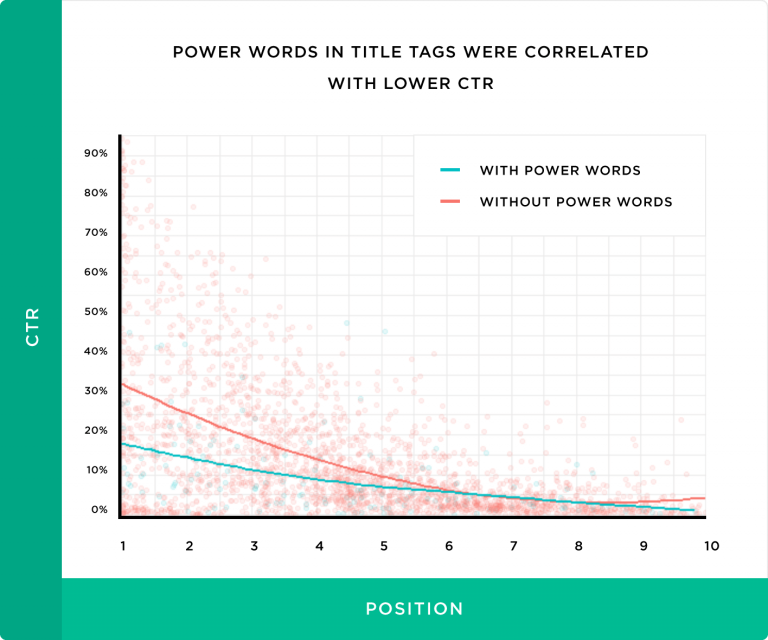
Power Words are persuasive, attention-grabbing words typically used to attract user clicks — words like Secret, Powerful, Ultimate, Perfect, Best in English.
After examining data from 5 million searches, we found that using power words decreases organic CTR by 13.9%. My analysis is that in noisy environments like Facebook and Twitter, users don't have time to think, so power words can grab attention there; but on a quieter place like Google's results page, users have enough time to recognize how clickbait-y these words are and will probably not click!
For example, when searching for "How to write headline," titles like "How to Write Insanely Amazing Headlines" containing power words don't appear at the top of results. Instead, we see more subdued results — meaning those titles got higher CTR, so Google ranked them higher. (Perhaps Google has become smart enough to recognize misleading titles that don't match the post's content!)
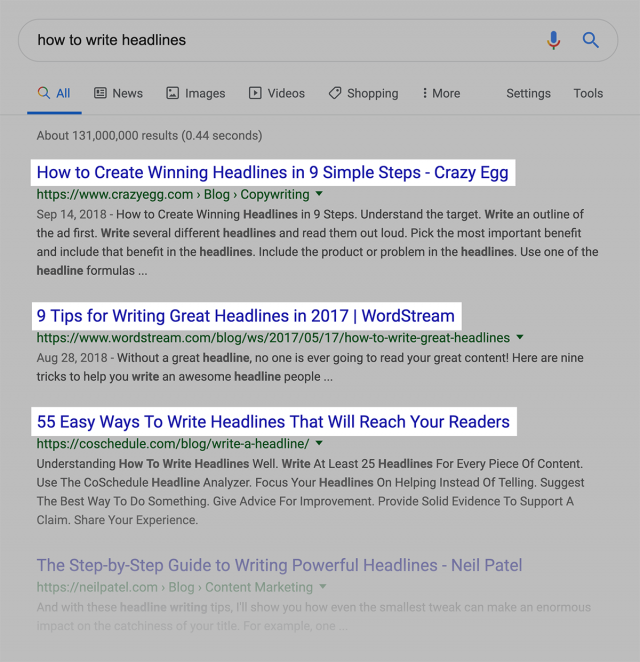
No word is inherently bad unless repeatedly misused. Unfortunately, the chaos of advertising in today's world has given us a bad feeling about these words. People have grown suspicious of power words from seeing them overused in various ads. We recommend avoiding these words in your titles as much as possible.
Using Emotional Titles Can Increase Organic CTR
Our data shows that incorporating emotion into a title increases CTR by 7.3%. In our study, positive and negative emotions had almost the same effect — under the same conditions, positive emotions increased CTR by 7.4% and negative emotions by 7.2%.
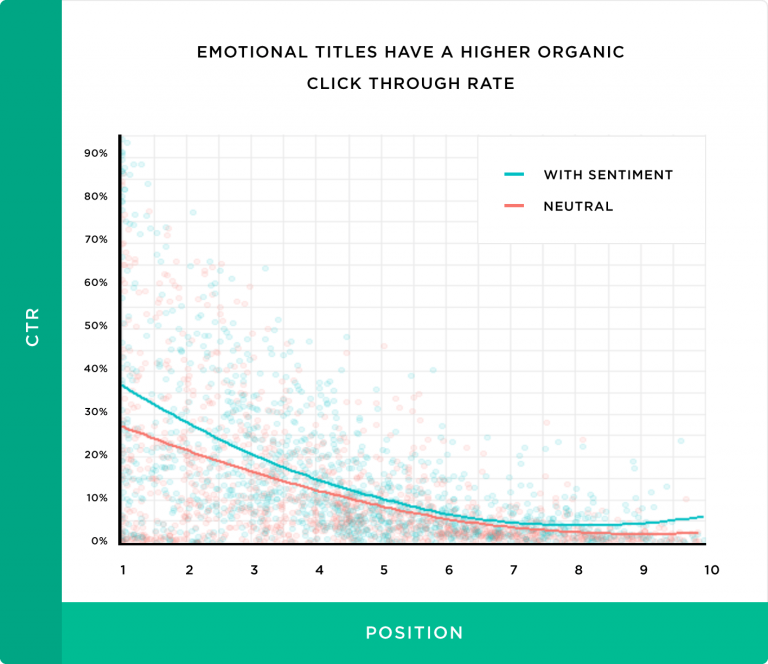
On this topic, other studies including a BuzzSumo study have examined the relationship between emotional titles and user engagement.
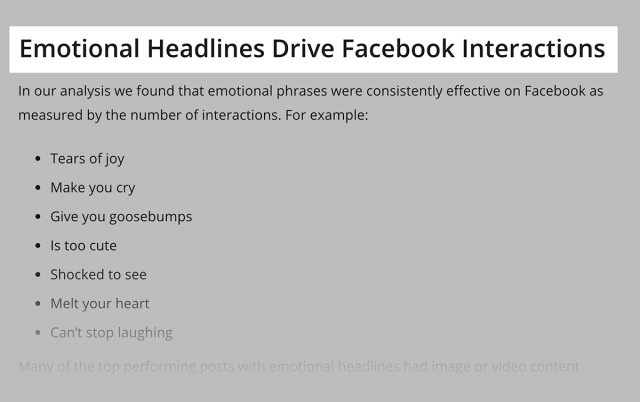
We haven't yet found research that specifically examines the relationship between these titles and Google Organic CTR. Regardless, according to our data, such a relationship exists. The interesting point is that despite the harm of power words, emotional titles have a positive impact on CTR. This means a button or link with an emotional title gets more clicks than one with power words. Additionally, emotions don't generate as much negative user reaction as power words do.
Pages with Meta Descriptions Get Higher CTR Than Pages Without
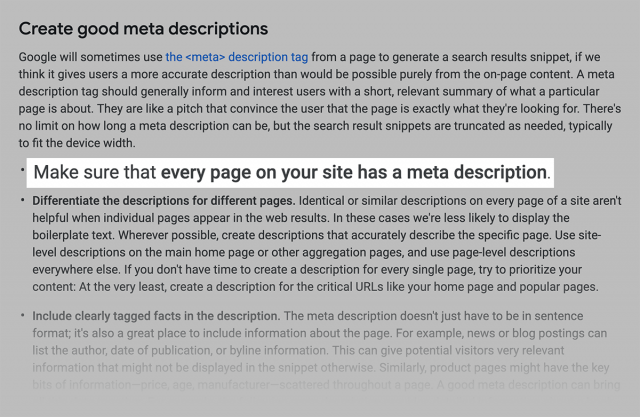
Although the description tag doesn't directly affect SEO, Google still recommends using unique descriptions for different pages.
Writing a good description has a positive effect on the number of clicks in Google's search engine.
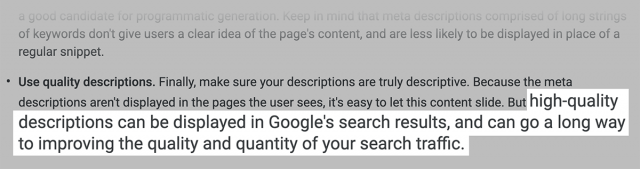
By examining pages without descriptions and comparing their CTR with pages that have them, we found that Google's claim is correct. The impact of using a meta description tag on CTR is around 5.8%.
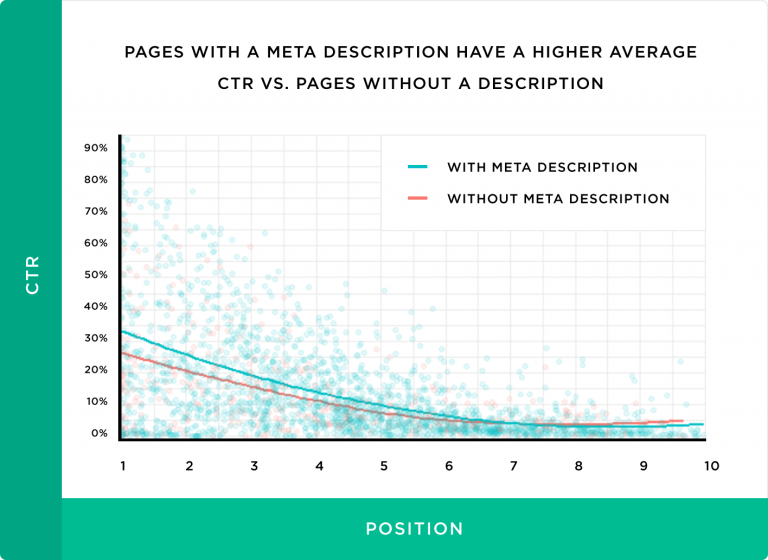
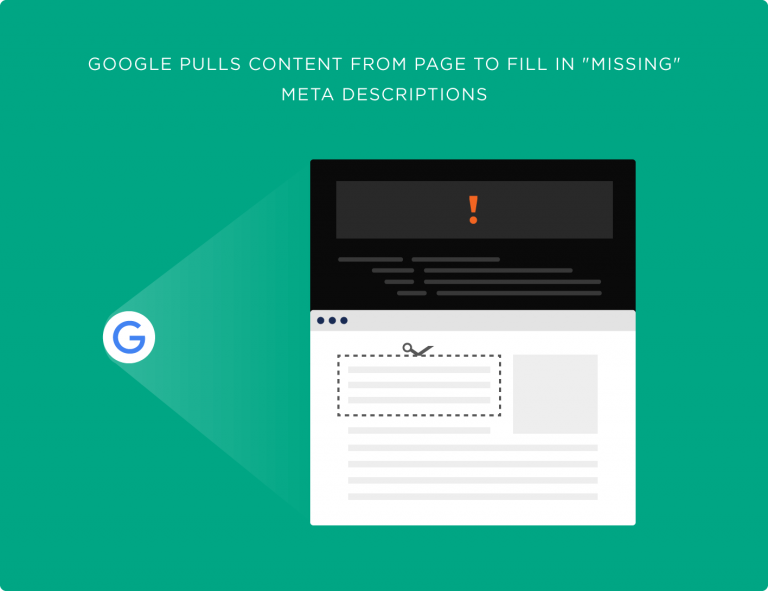
Apart from SEO considerations, if we leave the description section empty, Google has nothing to show and will use part of the page content at its own discretion — which may not be what you want to show users. We recommend always filling the description section with appropriate information. Also note that social sharing plugins use this content as the description when sharing to social networks like Facebook, Google+, and LinkedIn — so optimizing descriptions can also drive more social media traffic.